Paper Trading Features.
Use this page to find the Neostox feature you need. Each core tool has its own guide, so you can study one workflow at a time.

Explore each paper trading tool in detail
Choose a focused guide instead of treating this overview as a substitute for the individual feature pages.
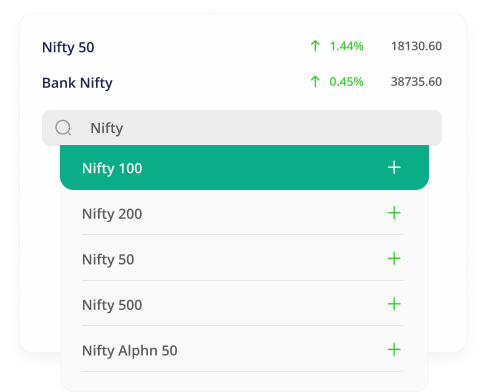
All Equities/Futures/Options Are Available To Trade
You can search and add equities/futures/options of your choice and add them to your watchlist and then trade easily with buy/sell options.
Real-Time Market Feed
The market feed is real (second by second). It is because of this all the P/L, taxes, and fees are displayed in real-time while the trades are active. No other platform shows these.
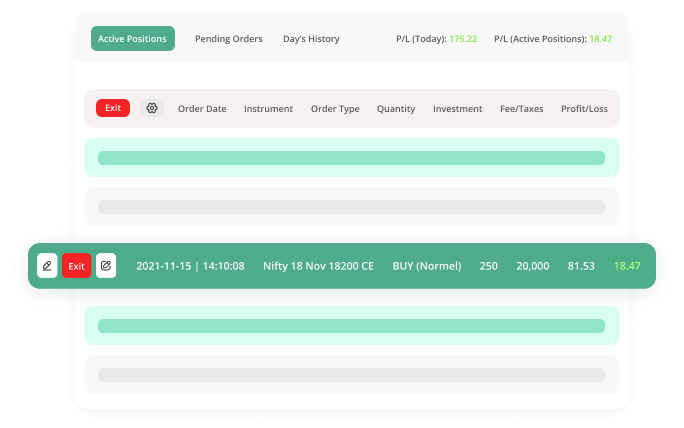
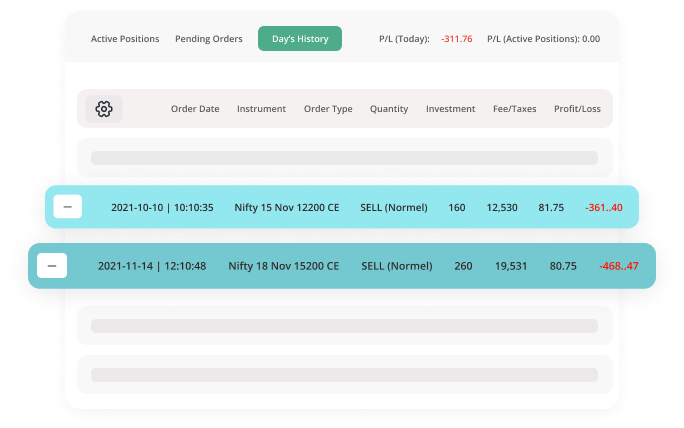
Measure Your Progress
You can view the progress as how many trades were successful, went to stoploss. All order type are available for you. Check out our auto-limit orders feature here.
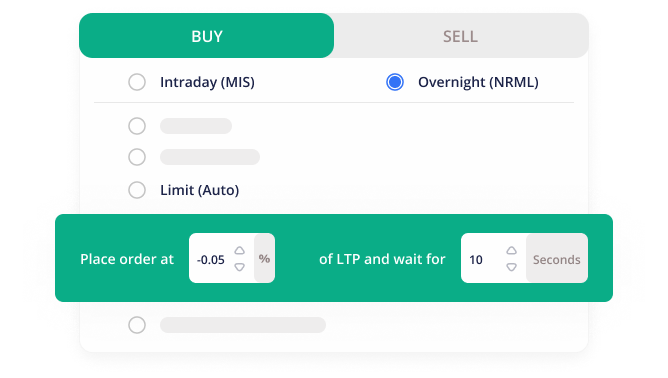
Auto-Limit Orders
A unique feature where you can set the target price (in percentage) and the time you want to wait. For e.g. you can create a limit order by setting the entry price 1% below the current running LTP and wait for 10 minutes.
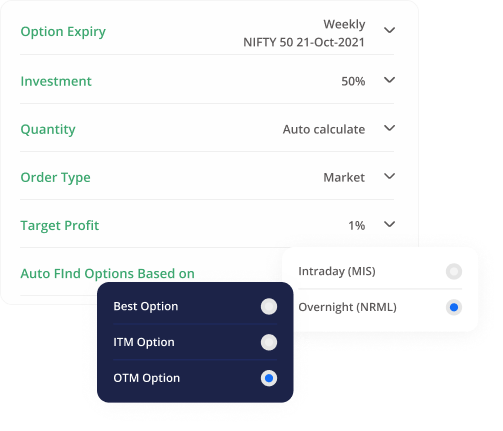
AI Based Options Trader
If you are trading in options, finding the best options in terms of their volume or spread is a daunting task. With Options trader, you just buy/sell and the rest will be done by the AI working in the background.
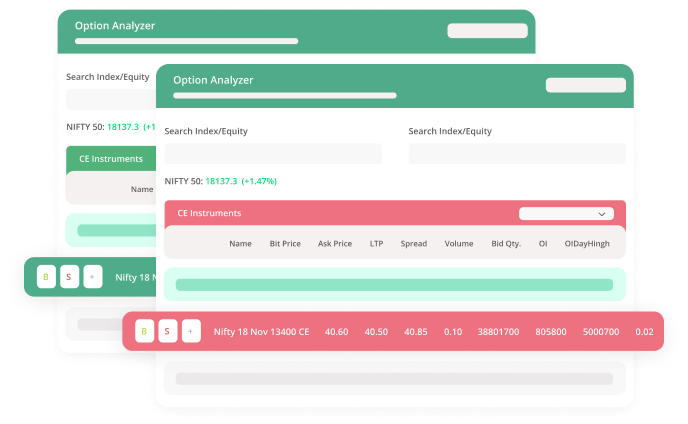
Powerful Options Analyzer
If you are trading in options, the Options analyzer will give you the real-time market movement of options of the selected index/equity.
Index/Equity Analyzer
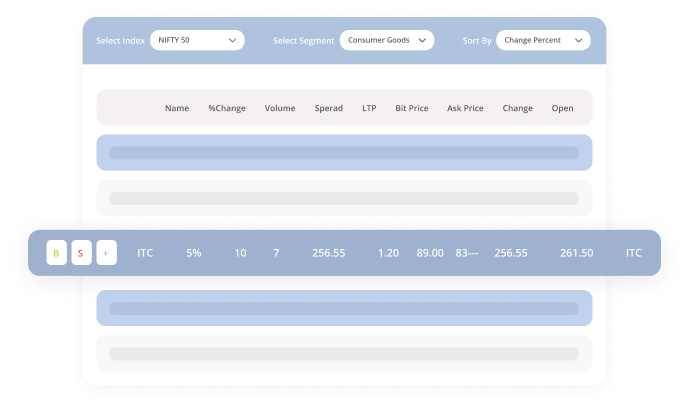
If you like to analyze the indices or the equities which are market movers/shakers, this tool is designed to help you do the analysis to gain in-sights.
- Indices available are Nifty 50/ Nifty 100/ Nifty Midcap 50 / Nifty Midcap 100 / Bank Nifty
- View the segments under these indices.
- Performance of segments along with their weightage.
- Drill down to view the equities under each segment to view their performance.
Dashboard/Daywise Summary/Detailed Report
Real-time display of dashboard containing the number of trades, taxes, fee, gross and net profit. Dashboard to help you analyze your performance.
- View current day summary in real-time. Helps you analyze your performance.
- View last 30 days summary.
- View a day-wise summary with a quick snapshot of a number of trades, and P/L for each day of the last 180 days.
Paper trading for stocks, futures and options with virtual money.
Practise strategies, study market conditions and review your decisions before risking real money.
Paper Trading Platform
Practise stocks, futures and options with virtual money using Neostox paper trading tools. Explore the Paper Trading Platform →
Hedge Trading
Learn hedging concepts and practise multi-leg setups with virtual money and options tools. Explore Hedging in Trading →
Advanced Basket Orders
Group multiple stock, futures or options orders into one basket workflow for practice. Explore Advanced Basket Orders →
Trading Reports & Day-Wise Summary
Review virtual trading performance through P&L, margin, charges, summaries and trade history. Explore Trading Reports →
Pre-built Options Strategies
Study pre-built bullish, bearish and range-bound options setups before practising a trade. Explore Pre-Built Options Strategies →
Neo Screener
Scan stocks, futures and options to identify market activity worth studying further. Explore NeoScreener Market Analysis →
Options Analyzer
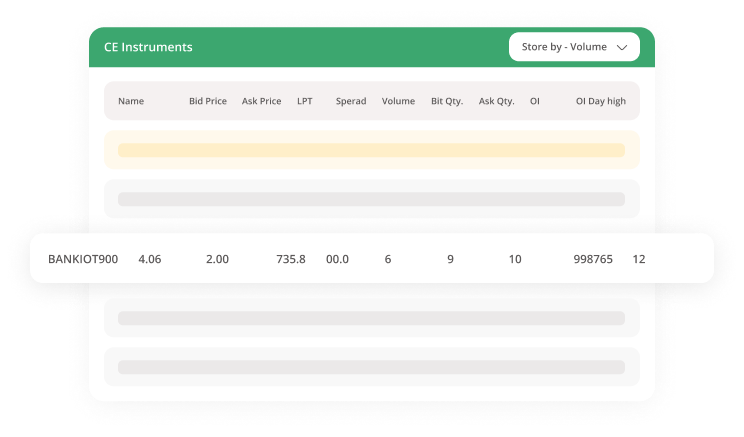
Analyse options data and visual market insights before testing virtual trading ideas. Explore the Options Analyzer →
Advanced Options Chain
Study option strikes, OI, PCR, IV and volume with the Advanced Options Chain. Explore the Advanced Options Chain →
Stock Screener
Review gainers, losers, volume activity and bid-ask data with the Stock Screener. Explore the Stock Screener →
Industry/Sector Screener
Compare industry and sector trends before practising stock-market ideas. Explore the Industry & Sector Screener →
Index Screener
Study index performance and constituent stocks with the Index Screener. Explore the Index Screener →
AI Options Assistant
Review options setups and organise order details with the AI Options Assistant. Explore the AI Options Assistant →
Download the App for
Free Now